Author Archives: paul

About paul

Paul is the Owner and Creator of MawsonLakes.Org.

NBN via HFC delivered to Parkview Village

NBN arrives in Mawson Lakes

It’s finally arrived. Twenty years after being promised a community with a broadband infrustructure it has finally been delivered to the Mawson Lakes Parkview Village via NBN’s NFC infrustructure.

It would be interesting someday to get the details of what exactly happened, but the end result was that the early parts of Mawson Lakes had coax cable in the street, which the later parts didn’t. In addition to this, much of the earlier sections were also put on ‘pair-gain’ for their home phone which ment that the new ADSL technology for broadband over their phone line were also not available. Many homes opted for fixed wireless connections, which can be verified by the large number of wireless dishes on the roofs across the neighbourhood.

When we originally bought our property in 1998, it was with the promise by the developer that Mawson Lakes residents would have access to broadband when they moved into their homes. This was before the 2000 Sydney Olympics and the Optus vs Telstra cable wars, which saw large amounts of cable rapidly rolled out across Australia through this period, through to mid-1999.

The Mawson Lakes Foxtel Cable, now HFC Network Area

The developer Delfin, now Lendlease, had made an arrangement with Telstra to do the rollout in Mawson Lakes. When Optus decided to stop, Telstra also stopped it’s rollout nationwide, including Mawson Lakes, even though a separate cotract was in place. My understanding was that the contract commitment by Telstra Delfin was eventually settled out of court for an undisclosed sum..

While having waited so long for the internet service that had originally been promised, I there was happy enough to be able to pre-order the service when this option became available. This ment that finally there was some progress. The order progressed and was eventually booked in for the week before Christmas.

The installation almost happened without any drama whatsoever. A combination of the way the NBN has been designed (as a wholesale business) and the ISP, ment that not only did the process become incredibly frustraiting, but this frustration could easily have been avoided in several different ways, including not making a simple mistake in the first place.

Mistakes happen, this is a reality of life.

In this case, the serial number, or MAC address of the ISP supplied router had been entered incorrctly, presumably by the ISP. I have no way of knowing if this was indeed the case or not, as the NBN technical support person wasn’t allowed to directly talk to me (as I overheard on the second call out), but the problem was solved between the NBN and my ISP in the background while I waited. This is what happens when you pay peanuts for data entry. On the first visit the NBN installation was done and everything from their point of view was working as expected, so the technision left. The router was ment to self-configure, which it didn’t, so several calls were made to the ISP and a second NBN callout was eventually made four days later.

In the meantime, on the day that the NDN as provisioned, my perfectly functional ADSL service was disabled and the login removed. After several calls, I was able to get a temporary login setup for this service so the family could atleast have internet access over Christmas. ATt this point the problem with the NBN service had yet to be identified. A further call to the ISP was required as they then attempted to bill me for the temporary.

In sort, not only did I fail to get a working ISP/NBN service, but the existing functioning ADSL service was cut off, with no expectation given on when any of the issues would be resolved.

Amongst all of this rant, there are a couple of highlights. I can report that there are still some knowledgable tech support people around who know the systems well enough to fix an issue without following a script. They are rare though. I hope they are being paid enough.

Code for Cosmic Array Sensor Project

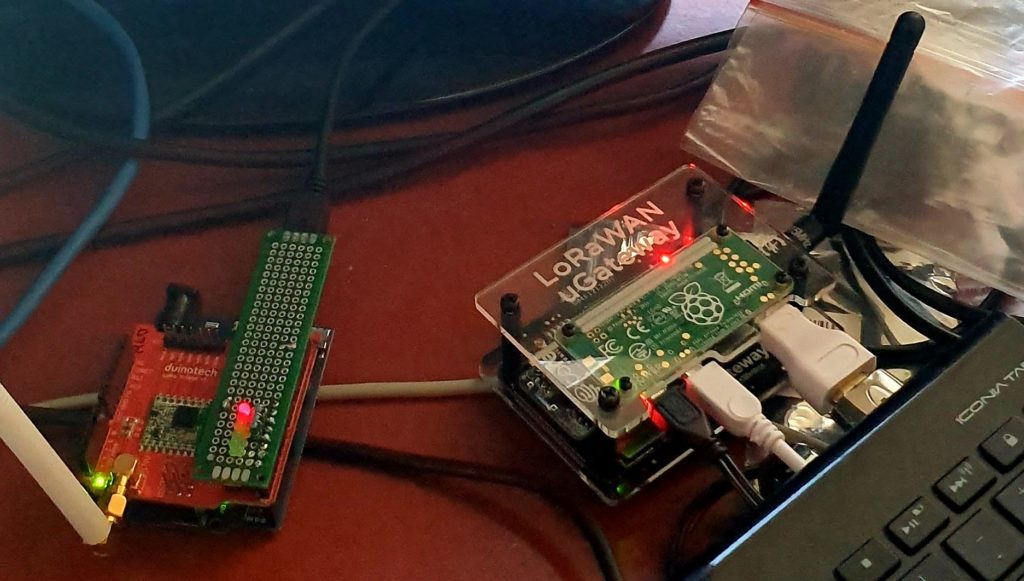
A recent project has been pulling together some code for a Raspberry Pi Zero, which is going to be part of the system in the a Cosmic Ray Sensor. Details about the The Cosmic Array project, which is part of the Splash Adelaide Winter Festival are available from the Hackaday Website.

The Raspberry Pi takes events from the sensor and plays chimes depending on the direction that the detected muons appear to come from (via a coincidence circuit).

paul

May 31, 2016

detourJust got off the phone from Salisbury Council about the road works an detours that are going on around the place. I got caught out yesterday, doing a last minute ‘Oh we all slept in!” dash, and ended up going a lot further than we needed to.

The details that I have:

  • Mon, 30th May –  Fri, 10th June: Mawson Lakes Boulevard – Closed from Parkway to Mary Street (Montague Road end). North detour back via Parkway in Technology Park.
  • Mon, 6th June – Thu, 16th June: Mawson Lakes Boulevard – Works at the Peninsula Drive and Parkway Drive Roundabouts.

Hopefully these two road closures won’t overlap by too much.


Just had a letter in the mailbox with more details, and I have rung Adrian, the Surfacing Coordinator to confirm access during these times. The plan at the moment(1 June) subject to weather:

  • Monday – Work starts on Peninsula Roundabout, Work starts on Parkview Dr. Roundabout.
  • Tuesday – Work starts on Parkview Dr.
  • Wednesday – New Asphalt put down on Parkview Dr.

Local access will not be completely cut off during this time, works start at 7am,  but there may be some delays getting in and out of adjoining roads. Access will be available after 5pm each day. Direction will need to be taken by road management services.

I will continue to update this post if I find out any more details

Adelaide Internet of Things (IoT) Hackathon

Yesterday (Sat, 23 April 2016) saw the first Adelaide IoT Hackathon held at the Smart City Studio in the City of Adelaide.

This author is very please to announce that we were successful and won the event with our project: City wide water leakage monitoring. We were us against the 10 Cent – Internet of trash and an Interactive Electronic Notice Board. The decision was very tough according to the judges.

The prizes include access to IBM’s IoT and Cloud platforms. We will be updating the Hackaday page above with more details as we progress with the project.

Stopping unwanted Paypass Purchases

The other day my phone (a Samsung S5, no, not the edge) started beeping at times when I was holding it. This began expectantly, and after a week of these obscure notifications, I tracked it down to when the phone was being placed next to my wallet. An App that I recently installed turned on the Near Field Communication (NFC) features on my phone, which ment that it was now registering my credit cards when they got close enough, through the outside of my wallet.

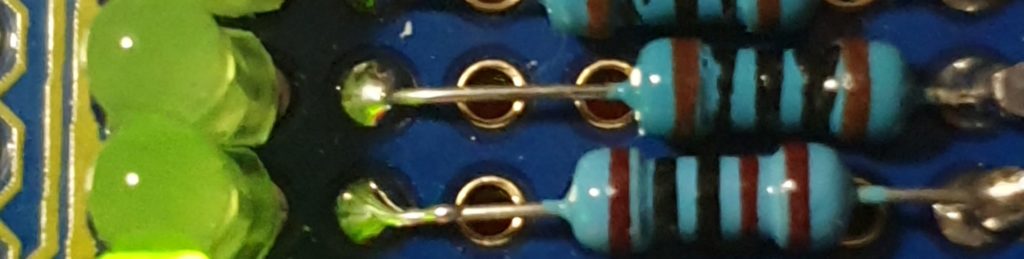
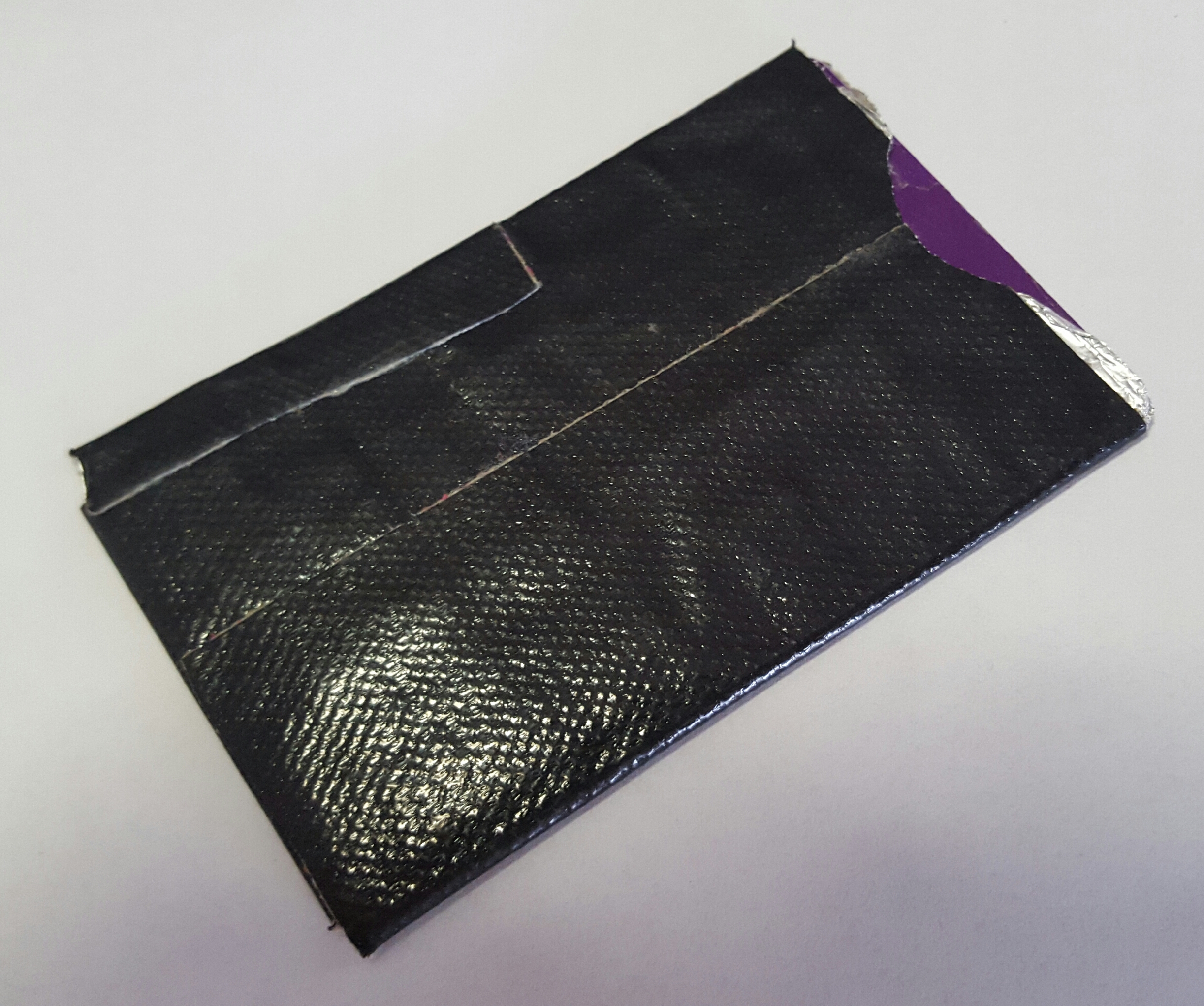
After turning of the NFC feature on the phone, I had a quick google on ‘RFID Card Shield’ and came up with a card sleeve (see picture) that works quite effectively.

The sleeve is made up of several layers of aluminium foil, for strength and cut to size, and wrapped in gaffatape.


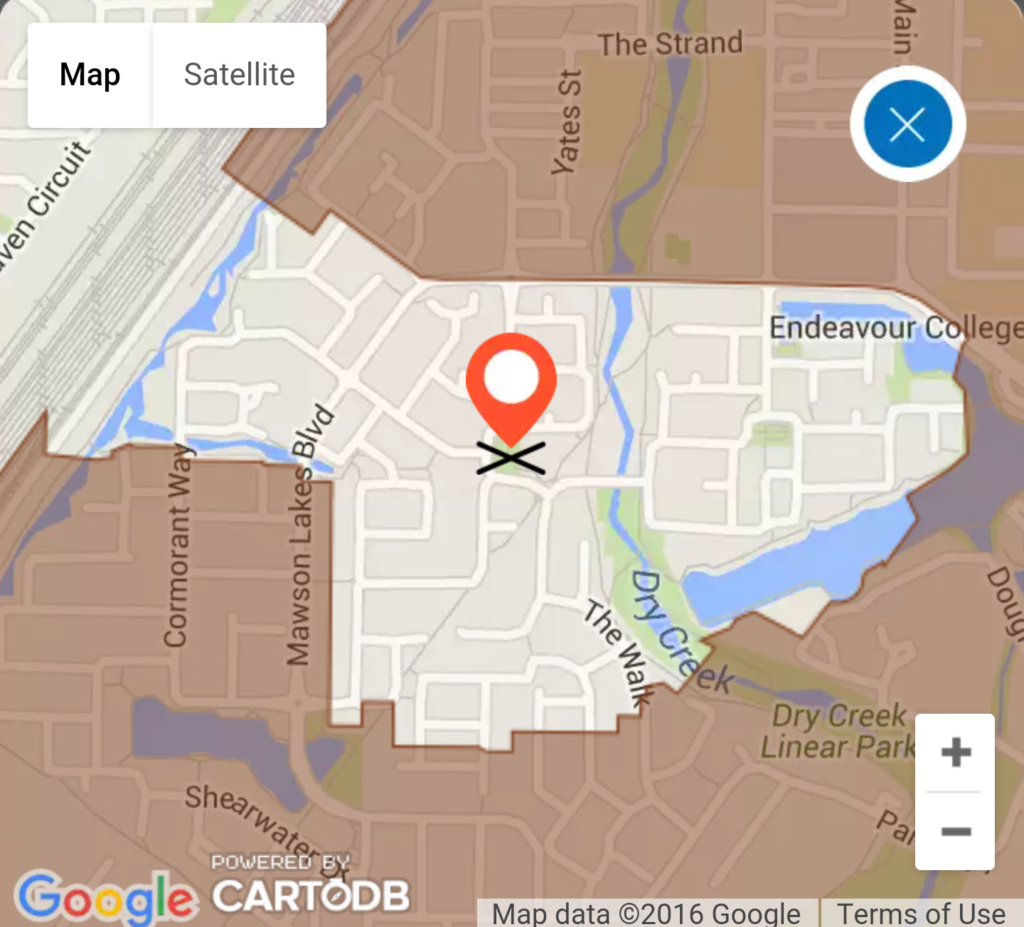
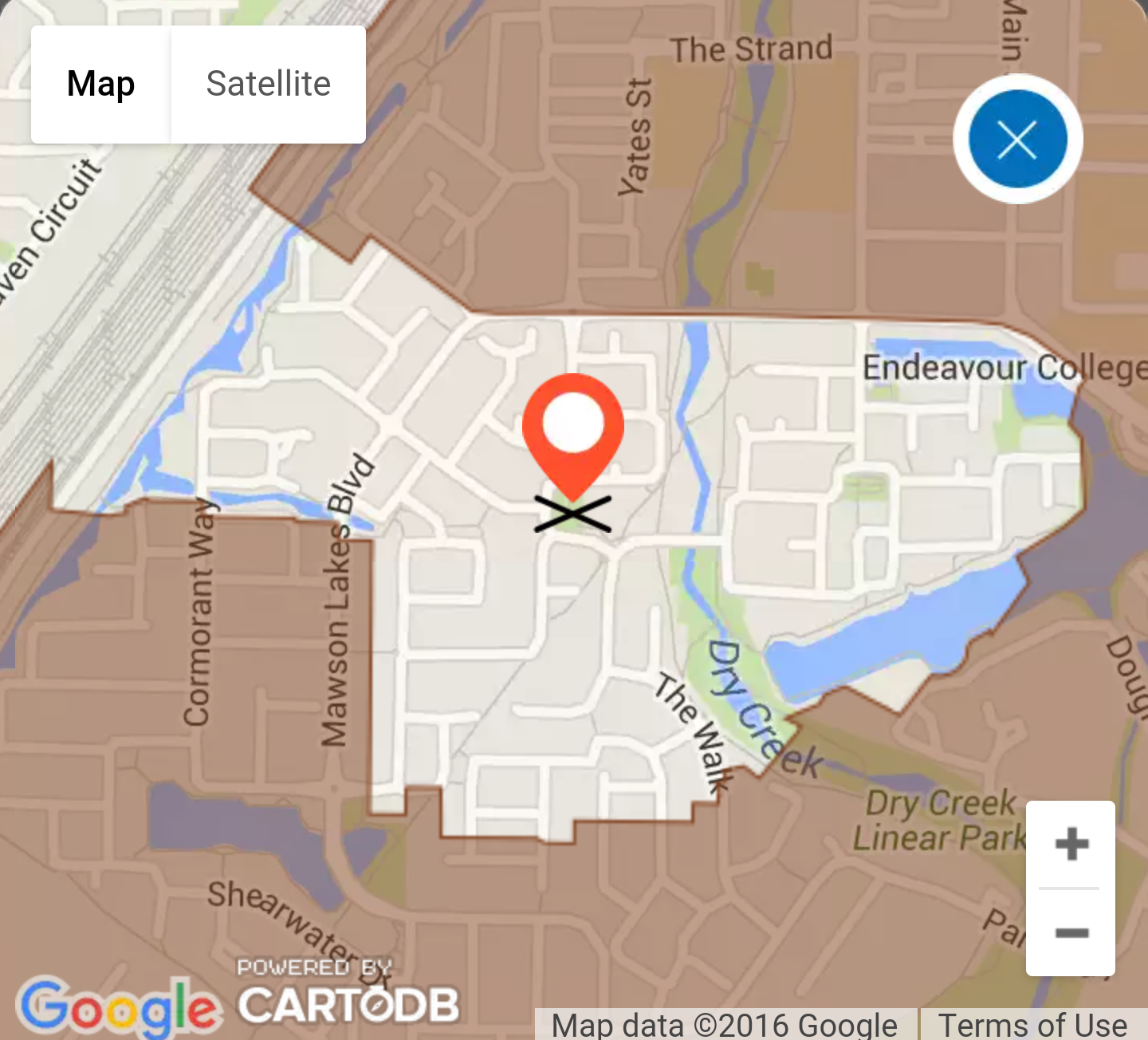
Not sure why our particular location has been left out of the NBN rollout information (see image). Last month we received a generic notice saying that we may see the NBN doing work in our streets, so there is some confusion out there about this.

It looks as though there is a high-tech force field (a dome?) over our suburb which is keeping the NBN out.


Edison Robots

I have just been introduced to the Edison Robots.  I was shown a box of them that are going to be used to teach programming(coding) and robotics in a local primary school. They looked vaguely familiar.

The company behind the Edison is Microbric and they have been around for a while. They concluded an Kickstarter campaign in 2014, raising over $100,000. Somehow I missed this campaign at the time, but they managed to raise enough to create a ‘block based’ programming environment for the robots what will run in a browser, Windows, iOS, Android and Linux (including on the Raspberry Pi).

I had to delve a little deeper on the programming side though. I had dealt with the original Microbric robots, which could have a programming cable attached, but weren’t really programmable. They came with some pre-programmed actions, like ‘follow the line’, as well as playing the theme songs of the local AFL Football teams. The way these programs were selected was also novel. They could be made to run over and read a barcode which was read by a light sensor. It was also possible to hold them up to a computer screen, but this was a little bit unreliable. A the time I tried to manually decode the barcodes, but without success. There was a programming cable available (based on a Nokia phone cable) but it’s use was unsupported at the time I was looking at it. I don’t know if this ever changed.

On the other hand, programming the Edison with the Edware software is a great addition and a great introduction to robotic programming for students. The software is Python based under the hood, is available under a Free and Open Source license (GPLv2) and is available on Github.

Some things I would like to try with the Edison:

  • Attach a pen and get the robot to write a message, or draw a picture.
  • Build a robot arm that can move chess pieces.

One interesting application can be found here: Chocolate Rotomolding Machine (YouTube).

The MeetEdison website recommends the following Lego Kit – 42032 Compact Tracked Loader – as a good way of getting parts useful for building more advanced robots and machines. Details are in the EdBook3.


Oliphant Science Awards – 2016

It’s that time of year again, where I’m about to get involved again in the Oliphant Science group at the primary school attended by my daughter. We have a really great group of young scientists this year, and they have been sent away for the holidays, inspired to think about what great science they can do when they get back for term 2.

This year, for progress reports and logs are going to be making use of Google Docs. This should allow those of us who are Parent Helpers to better observe the progress that is being made, and see be able to provide better help.

It’s going to be a great year for Science.

Project: Implementation of an OpenADR Infrustructure with RaspberryPi(s)

A demonstration system is being built for prototyping the OpenADR system using accessible hardware.

This is a new project fo me, but I have an interest in learning more about how the Electrical Power network works as we have a Grid Connected Solar installation(SMA Sunny Inverter with Blue Tooth interface), and a Clipsal C-Bus home lighting/power control system in the house.

OpenADR (Open Automatic Demand Response) is a project with the aim of creating an open infrustructure to allow the consumer appliances in power networks to automatically respond to the market,
including pricing details and peak power periods.

In Australia, grid connected household solar systems are currently subjected to different mechanisms which impact on their final economic benefit. As well as overall cost, these include ongoing feed-in tarrif rates or restrictions on feed-in power. Add to this the ability to add local power storage via batteries (eg. Tesla Powerwall[2])  and it becomes more essential to control the local power sources and loads.

Standards exists[3] for controlling appliances, and DRED (Demand Response Enabling Device) incorporates a range of controls for various aA demonstrator system is being built for prototyping the OpenAD system using accessible hardware.ppliance types, and the list of included appliances is expected to grow.

OpenADR protocols form the communication link beween the power retailer and the DRED enabled appliances, via a consumer smart power controller. This project aims at investigating XMPP as the communication layer between the power retailer and the controller which then implements the control via DRED relay switching and hardware controls.

Technology being used: RaspberryPi, Linux, Raspbian, Ubuntu Snappy Core, XMPP client, ejabberd. ansible.

References:
[1] http://www.opwnadr.org
[2] Tesla Powerwall – http://www.teslamotors.com/en_AU/powerwall
[3] AS4755 – Demand Response for Air Conditioners